

AI Workflow Studio: How SuperMaker’s Infinite Canvas Changes Creative Pipelines in 2026
Most AI tools still run as one-off prompts: you type something, get a result, and move on. That works for experiments, but it quickly breaks down when teams need repeatable systems for real campaigns. Modern creative work requires more than isolated generations — it needs clear workflows, reusable logic, and a way to connect different AI tools into one process.
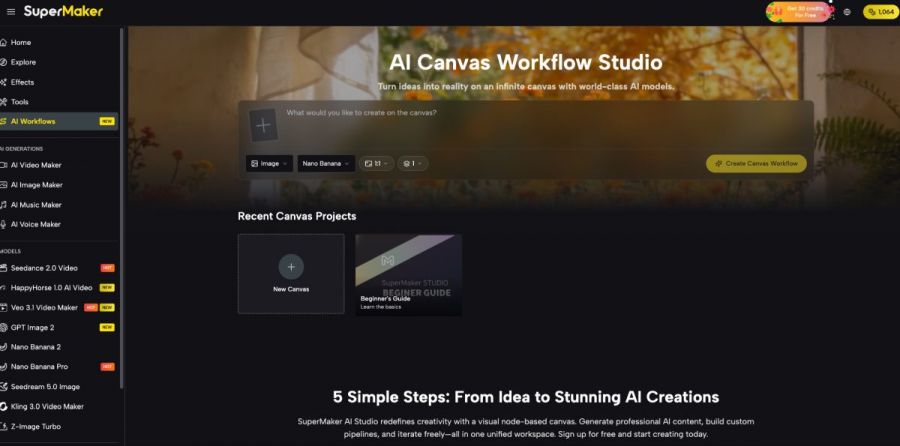
SuperMaker AI Video Maker was built for that use case. It is an infinite, node-based canvas where users can design, visualize, and manage AI workflows for video, images, music, and voice inside the browser. Instead of jumping between separate tools or rebuilding the same process every time, teams can turn AI creation into a structured, shareable workflow.
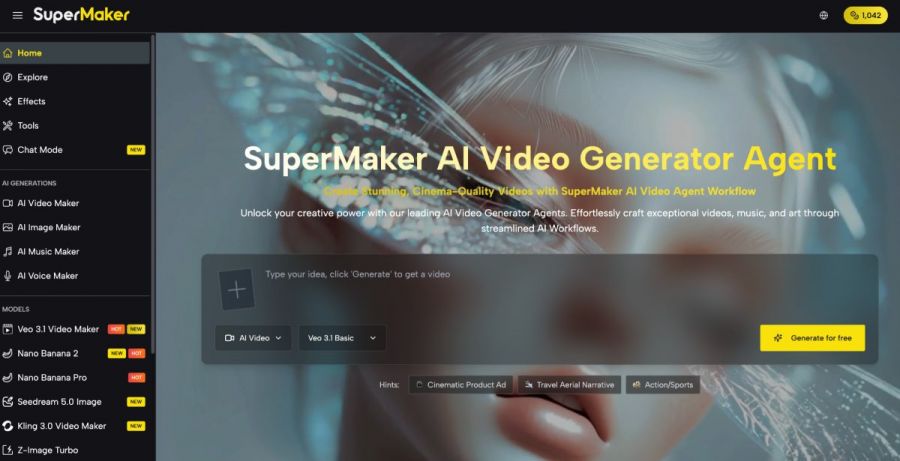
What Is SuperMaker Studio?
SuperMaker Studio is a browser-based workflow builder designed to organize how AI content is produced from start to finish. Its main purpose is not to generate only one asset, but to let users connect multiple content steps — such as prompt input, image generation, video creation, voice synthesis, and music composition — into one visible production flow.
That makes Studio especially useful for teams that want more control over how AI is used. Instead of running isolated prompts in separate tools, users can build a repeatable system that shows how assets move from one stage to the next. A product description can become an image, then a video, then a voiced and scored final piece, all within one planned workflow.
Studio is also valuable because it turns AI production into something more collaborative and reusable. Once a team builds a process that works, it can save that workflow, reuse it for future campaigns, and share it with other teammates. In that sense, SuperMaker Studio functions less like a single generator and more like a visual operating layer for AI-powered creative work.
The Other Key Features of SuperMaker AI
AI Video Maker
- SuperMaker Video turns text prompts and reference images into dynamic clips with motion, pacing, and scene structure.
- It supports multiple use cases, from short-form marketing videos to more polished storytelling content.
When used with Studio, Video becomes one of the most important output nodes in the workflow. A team can build a pipeline in Studio that prepares prompts, generates visuals, and then passes those assets into Video for final scene creation.
AI Image Maker
- SuperMaker Image creates high-resolution visuals from text and can also refine existing pictures with editing tools.
- It is useful for thumbnails, product shots, branding assets, concept frames, and scene references.
Inside Studio, Image can serve as an early-stage asset generator. Teams can use it to create visual building blocks before those assets move into video, campaign graphics, or broader multimedia workflows.
AI Music Maker
- SuperMaker Music generates original tracks from prompts or lyrics, making it easy to produce background music and branded audio.
- It helps teams avoid relying entirely on external music libraries or time-consuming soundtrack searches.
When connected through Studio, Music can become part of a repeatable production system. For example, a workflow can automatically pair a type of visual output with a matching music style, making campaign production more consistent.
AI Voice Maker
- SuperMaker Voice converts scripts into natural-sounding speech in different tones and languages.
- It is especially useful for ads, tutorials, explainers, and product walkthroughs.
Within Studio, Voice can be inserted as the narration layer of a larger content pipeline. This allows teams to plan how scripts, visuals, and audio will come together before generating the final piece.
Taken together, these features make Studio much more powerful than a workflow diagramming tool. Video, Image, Music, and Voice give the canvas real production value, while Studio gives those tools structure. The best way to use Studio is to treat it as the place where all of SuperMaker’s content tools connect, so one campaign can move through a clear, reusable pipeline instead of being rebuilt every time.
How to Use SuperMaker Studio
Step 1 — Define the Workflow Goal
Start by deciding what the workflow needs to accomplish. That could mean generating a series of product visuals, creating multiple video variations for a campaign, or building a pipeline that combines images, voice, and music into a finished creative asset.
Step 2 — Add and Connect Nodes
Drag in the nodes that match your process, such as text input, image generation, video creation, music composition, and voice synthesis. Then connect them in the order that reflects how your content should be produced from start to finish.
Step 3 — Configure Inputs and Parameters
Set prompts, styles, model choices, and output settings for each node. Once the workflow matches your needs, save it as a reusable template so you can apply the same system to future campaigns without rebuilding it from scratch.
Step 4 — Run, Review, and Refine
Execute the workflow and review the outputs at each stage. If results need improvement, you can adjust nodes, prompts, or connections, then rerun the workflow until the pipeline produces reliable and repeatable results.
Top Use Cases for SuperMaker Studio
- Campaign Production Pipelines
SuperMaker Studio is especially useful for building complete campaign workflows. A team can create a repeatable pipeline that starts with a product description, turns that into images, converts those visuals into short videos, adds background music and voiceover, and produces multiple final assets for different channels. This helps reduce production time while keeping the campaign style consistent across formats.
- Batch Content Creation
For teams producing content at scale, Studio makes batch generation much easier to manage. Instead of manually repeating the same creative steps, users can build a workflow once and run it across multiple prompts, products, or formats. This is valuable for ecommerce teams, social media managers, and SaaS marketers who need a large volume of assets while maintaining visual and structural consistency.
- Team Playbooks and Process Standardization
Studio can also function as a team playbook for AI production. Once a workflow proves effective, it can be saved and reused by other team members, reducing the learning curve and improving output consistency. This is particularly useful for growing teams that want AI usage to be systematic rather than dependent on one person’s experience or prompt-writing habits.
Conclusion
SuperMaker AI Workflow Studio changes AI creation from a series of isolated prompts into a repeatable production system. By giving teams a visual, browser-based workflow builder, it makes complex creative pipelines easier to design, manage, and refine over time.
For teams working across campaigns, formats, and multiple asset types, that matters a great deal. Instead of treating AI as a scattered set of experiments, Studio helps turn it into a structured part of everyday creative operations.
Джерело: SmartPhone.ua
Обговорення новини
Попередні новини
 Стабілізатор напруги - пристрій, що не дасть згоріти твоєму ПК (і не тільки)20:37 07.07.2026
Багато людей купують дорогий комп'ютер, телевізор, холодильник або газовий котел, але при цьому зовсім не замислюються над якістю електроживлення. А дарма. Адже навіть найсучасніша техніка не любить різких стрибків напруги.
 NERO, ECLIPSE, E1000 та E500 – нові електроскутери Maxxter 2026 року та трендові моделі 202511:06 05.07.2026
Наше знайомство з новими моделями електрокутерів Maxxter 2026 року та актуальними пропозиціями другої половини 2025. Чому на них варто звернути увагу?
 OpenAI запропонувала США частку в компанії — щоб кожен американець отримував дивіденди від ШІ21:38 02.07.2026
OpenAI обговорювала можливість передати уряду США 5-відсоткову частку в компанії. Вашингтон приділяє дедалі більше уваги розробникам систем штучного інтелекту; зростають побоювання щодо неправомірного використання передових моделей.



 Цей ресурс не організовує ігор на реальні чи віртуальні гроші, не приймає оплат, пов’язаних із ставками. Уся інформація має ознайомчий характер.