

Choose Image or Text Inputs for Phone Launch Teasers
A phone teaser can be smooth, dramatic, and completely unusable. The camera island gains a lens. A side button moves. The frame becomes thinner between shots. Those changes may pass in an atmospheric concept, but they fail the moment the clip is presented as the actual device.
The first decision is therefore not which visual style looks best. It is how much product identity must remain exact. An AI Video Generator offers both text and image routes, but the two inputs carry different risks. The approved source asset should determine the route before anyone spends time polishing motion.
Decide Which Product Details Cannot Move
Make a short list from the approved product material. Include the silhouette, camera layout, button position, finish, and any distinctive port or hinge. Do not rely on memory. Put the still beside the generation window and compare the same landmarks after every result.
Separate Product Identity from Visual Atmosphere
Identity details tell viewers which device they are seeing. Atmosphere covers light, surface reflections, background movement, and camera energy. A launch teaser may change the atmosphere freely while keeping identity fixed. The trouble starts when a prompt treats both as creative suggestions.
For a hypothetical foldable phone, the hinge line and open proportions belong to identity. A band of light moving across the casing belongs to atmosphere. If the hinge changes while the light looks beautiful, the clip fails. Reviewers should not trade a product fact for a prettier transition.
Choose a Rejection Frame before Generation
Pick the angle that exposes the most important hardware landmarks. It may be a three-quarter rear view for the cameras or a side view for thickness and buttons. Treat that view as the reference frame. A generated turn that never returns to the recognizable shape has no place in a product launch piece, however polished the lighting looks.
Compare Text and Image Inputs against the Brief
Text-to-video gives the model broad room to interpret a scene. That can be useful for generic backgrounds, abstract network imagery, or a visual metaphor that does not show the phone. It is a poor starting point when the brief names an exact commercial device. A detailed prompt is still a description, not the approved geometry.
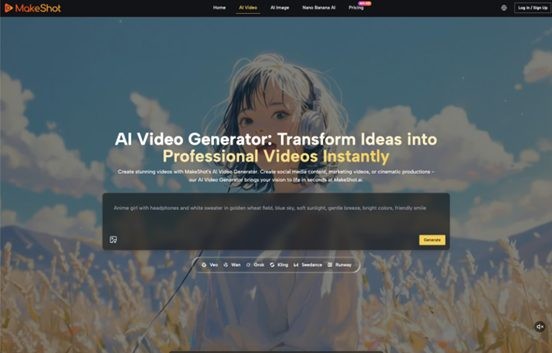
Image-to-video begins from a source frame. MakeShot.ai can animate a supplied image according to the motion request, which makes it the more bounded route for product identity. It does not remove the need to inspect intermediate frames. A camera module can still warp during a turn even when the opening image is correct.
|
Input route |
Identity risk |
Useful task |
Reject when |
|
Text to video |
High for a named device |
Generic atmosphere or background plate |
The result resembles an unapproved phone |
|
Image to video |
Lower, but still present in motion |
Animate an approved product still |
Landmarks drift between frames |
|
First and last frames |
Bounded at two endpoints |
Plan a transition between approved views |
The path invents hardware or an impossible turn |
Select models expose first-and-last-frame control. That is useful when two approved views exist and the transition itself is the experiment. The endpoints do not guarantee every frame between them. Inspect the turn at normal speed, frame by frame, and as a small phone preview.
Do not compare routes with different creative briefs. Use the same background, camera direction, and duration request for the text and image candidates. The test is not which clip has more drama. It is which route preserves the required product facts while still producing the motion the campaign needs. A fair comparison makes the tradeoff visible.
Stress Test the Teaser on a Phone Screen
A desktop player hides problems that become obvious in a feed. Export a review copy at the planned aspect ratio and watch it on a real phone. Keep the sound off for the first pass. The subject should remain recognizable without narration, a large display, or a paused opening frame.
Run the Crop and Compression Pass
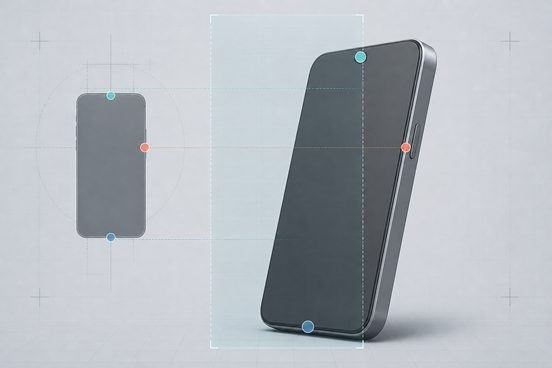
Test the clip once at full width and once inside the smallest placement the campaign will use. Look for cameras touching the crop, buttons disappearing at the edge, and reflections that merge with the background. Then use an ordinary compressed review copy. Fine highlights that define a metal edge may vanish after compression.
The AI Video Generator is the source of the candidate, not the final judge. The phone screen is where the asset has to work. If the product identity survives only in a large preview, the motion brief or crop is wrong.
Run the Silhouette and Landmark Pass
Pause at the start, middle, and end. Cover the logo and ask whether the silhouette and camera arrangement still match the approved still. Compare button locations and gaps between lenses. A one-frame mutation still matters because that frame can later become a thumbnail, press screenshot, or paused social post.
Also watch the clip backward. This makes some shape drift easier to see because the eye is no longer following the intended reveal. A good product move should not depend on narrative momentum to disguise a changing device.
Repeat the pass with the screen brightness lowered and with the clip muted. These are not laboratory tests; they mirror ordinary viewing conditions. A dark finish that disappears at medium brightness or a reveal that depends on a sound cue needs a stronger visual plan. The product should remain identifiable before the viewer turns up anything.
Match the Route to the Launch Asset
Use text-to-video for the pieces that do not represent the product: an abstract light field, a weather plate, or a generic city texture. Use an approved image when the phone itself enters the frame. If two exact product views must connect, test first-and-last-frame control and review the entire path with the same hardware checklist.
This division keeps experimentation where it is safe. The team can explore atmosphere without asking a generative model to redesign the phone. It can also replace a background clip without reopening approval on the device render.
Keep editable type, prices, dates, storage options, and availability outside generated pixels. Those details change by market. They also need to remain readable on a small screen. The video supplies motion; the campaign layout supplies current product facts.
Save the approved still beside the final clip, not in a separate archive nobody checks. The reviewer should be able to pause at any point and compare the same landmarks. If an alternate crop is created for another channel, run the comparison again. Reframing can hide a drift that was obvious in the original view.
Let the Source Asset Decide the Final Cut
MakeShot.ai is most useful here when the team treats generation as a controlled extension of approved material. It is less suitable when the only input is a verbal description of a device that must look exact. The difference is not creative ambition. It is whether the source gives reviewers something fixed to compare.
Choose the MakeShot.ai route that protects the strictest detail in the brief. If identity matters, begin with the image and reject any drifting landmark. If the shot is pure atmosphere, text exploration has room to breathe. The final cut should still look like the same phone when it is small, compressed, paused, or seen without a logo.
Джерело: SmartPhone.ua
Обговорення новини
Попередні новини
 Garmin Fenix 9 в Україні14:02 30.08.2026
Лінійка Fenix давно стала однією з найбільш впізнаваних у категорії мультиспортивних годинників Garmin. Її обирають бігуни, велосипедисти, туристи, альпіністи, військові, мандрівники та люди, які просто хочуть мати на зап'ясті пристрій із великим запасом можливостей. Нове покоління продовжує цю концепцію, але робить її технологічно значно ширшою.
 VTX FPV: як обрати відеопередавач для стабільного відеосигналу20:43 28.08.2026
У FPV-системі якість відеоканалу безпосередньо впливає на безпеку польоту та ефективність виконання завдань. Саме vtx fpv передає відеосигнал від камери до відеоприймача (VRX), FPV-окулярів або монітора.
 Google представила генератор відео на базі штучного інтелекту Gemini Omni 1.1 Flash20:41 28.08.2026
Google анонсувала модель штучного інтелекту Gemini Omni 1.1 Flash, призначену для генерації відео. Проєкт є спробою вирішити завдання щодо того, як за заданим зразком із декількох кадрів згенерувати органічний ролик — розробникам надається більший контроль над тим, що відбувається між першим і останнім кадром.



 Цей ресурс не організовує ігор на реальні чи віртуальні гроші, не приймає оплат, пов’язаних із ставками. Уся інформація має ознайомчий характер.