
Burst mode: how not to miss the perfect moment
Burst mode is a mode in which the camera takes lots of photos in a row while you hold or swipe the shutter button. It helps you catch the best moment in action: a jump, a goal, a smile.
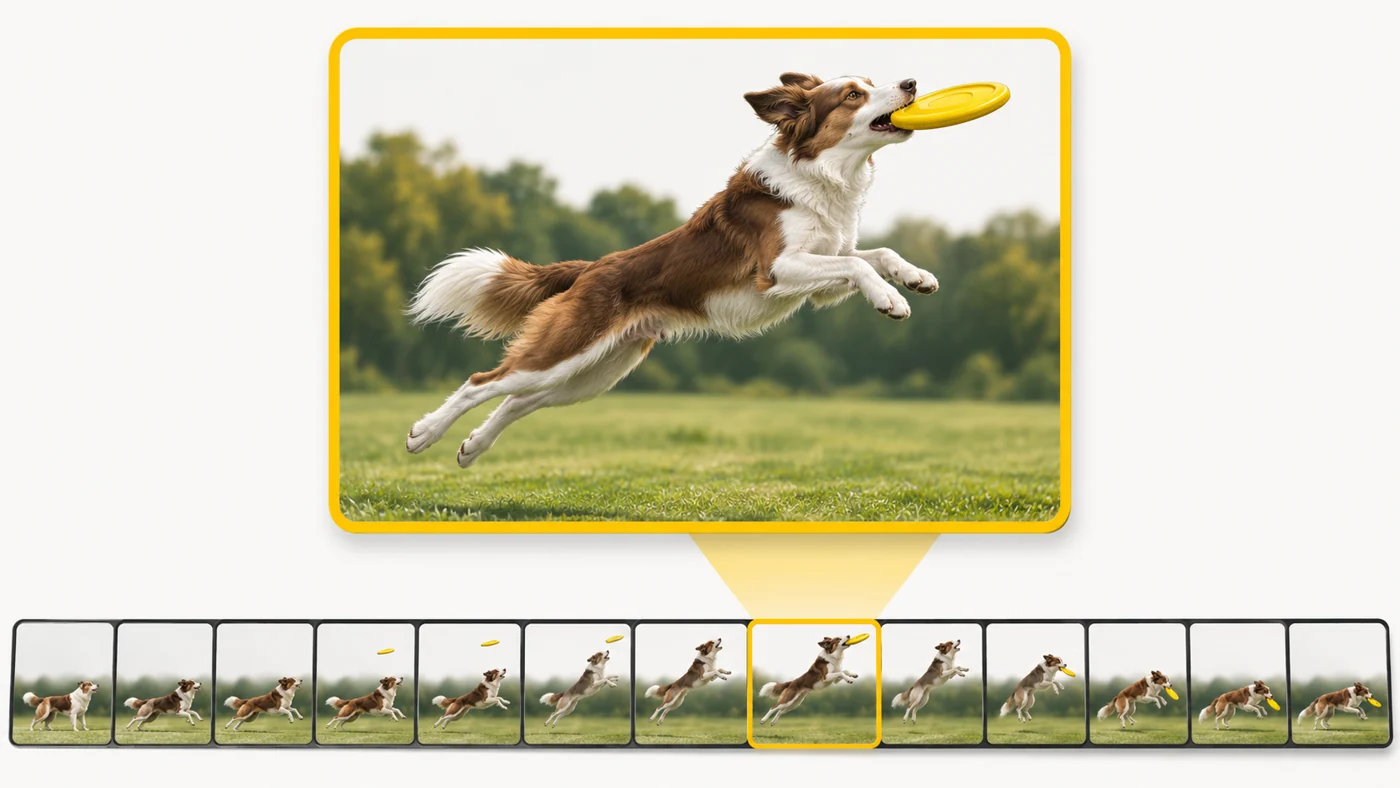
In plain words
Burst mode is like throwing not one ball at the basket but a whole armful: at least one is bound to go in. Among dozens of frames there will always be one where the dog is mid-air and everyone's eyes are open.
How it works
- Hold down the shutter button or swipe it to the side.
- The camera shoots at high speed - 10-30 frames a second.
- The frames are grouped into a "burst" in the gallery.
- Some phones automatically suggest the best frames.
- High speed needs fast storage and processing.

Where you'll see it
In the phone's camera: on iPhone, swipe the shutter button left (or set up the volume button); on Android, hold the button. "Motion photos", "Live Photos" and "Best moment" are similar ideas.
Does it matter when buying
For sport, pets and kids it is very useful. Do not forget to delete the extra frames after choosing the best one: bursts eat up storage fast.
Myths
- Myth: Bursts are always full quality. Reality: Burst frames sometimes have lower resolution or simpler processing.
- Myth: Burst mode is the same as video. Reality: Burst frames are separate photos of higher quality than a frame grabbed from video.
FAQ
How do I shoot a burst on iPhone?
Swipe the shutter button left or set up the volume button.
How do I pick the best frame?
Open the burst in the gallery and tap "Select".
Do bursts take up a lot of space?
Yes - delete the extra frames.