
Panorama on a phone: how to shoot a wide landscape without mistakes
Panorama is a mode in which the camera takes a series of shots while you slowly turn the phone, then stitches them into one wide photo. It lets you fit in a landscape, mountains or a city with up to 360° of view.
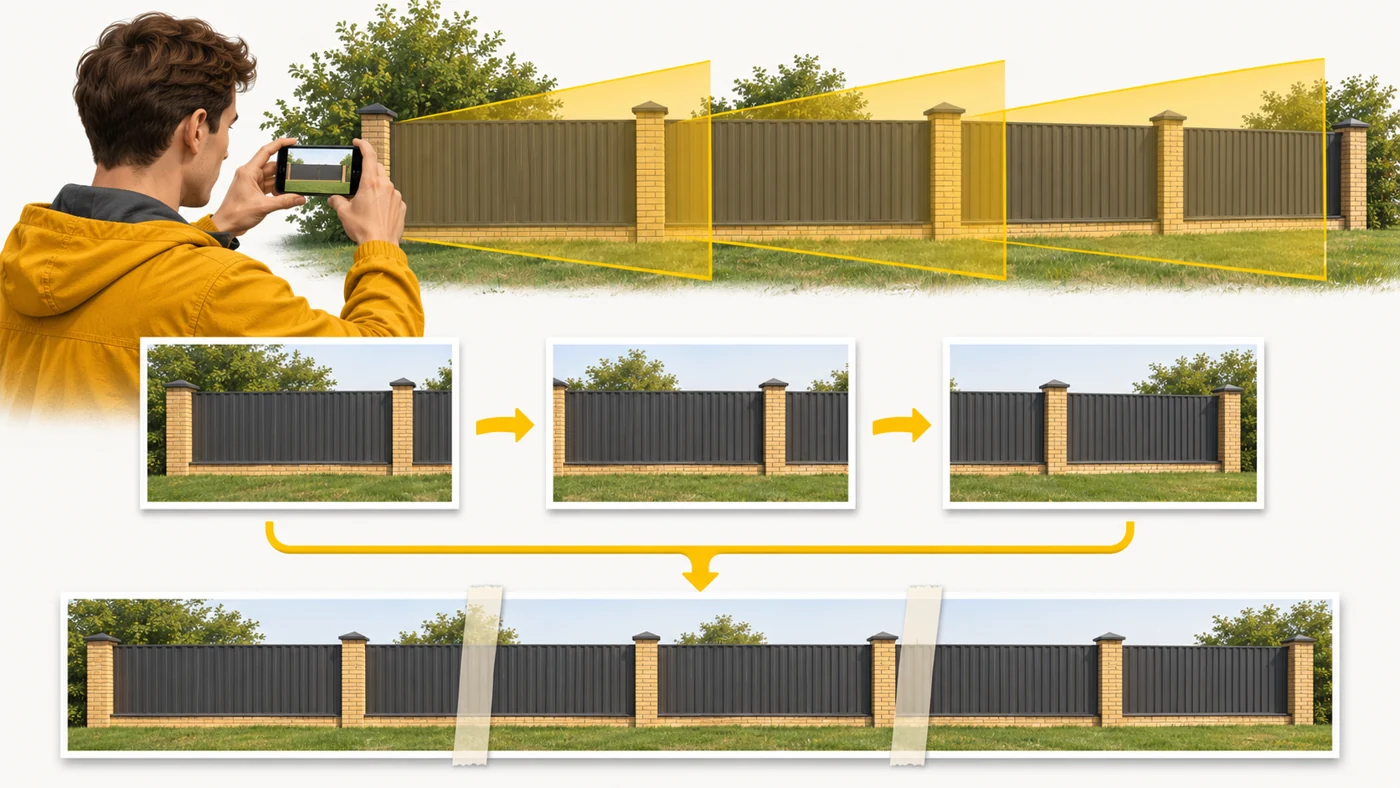
In plain words
A panorama is like photographing a long fence in sections and then carefully taping the photos together. If you move smoothly and evenly, you cannot see the joins. If someone runs along the fence while you are shooting, they may come out sliced up or with three legs.
How it works
- Choose Panorama mode and hold the phone upright.
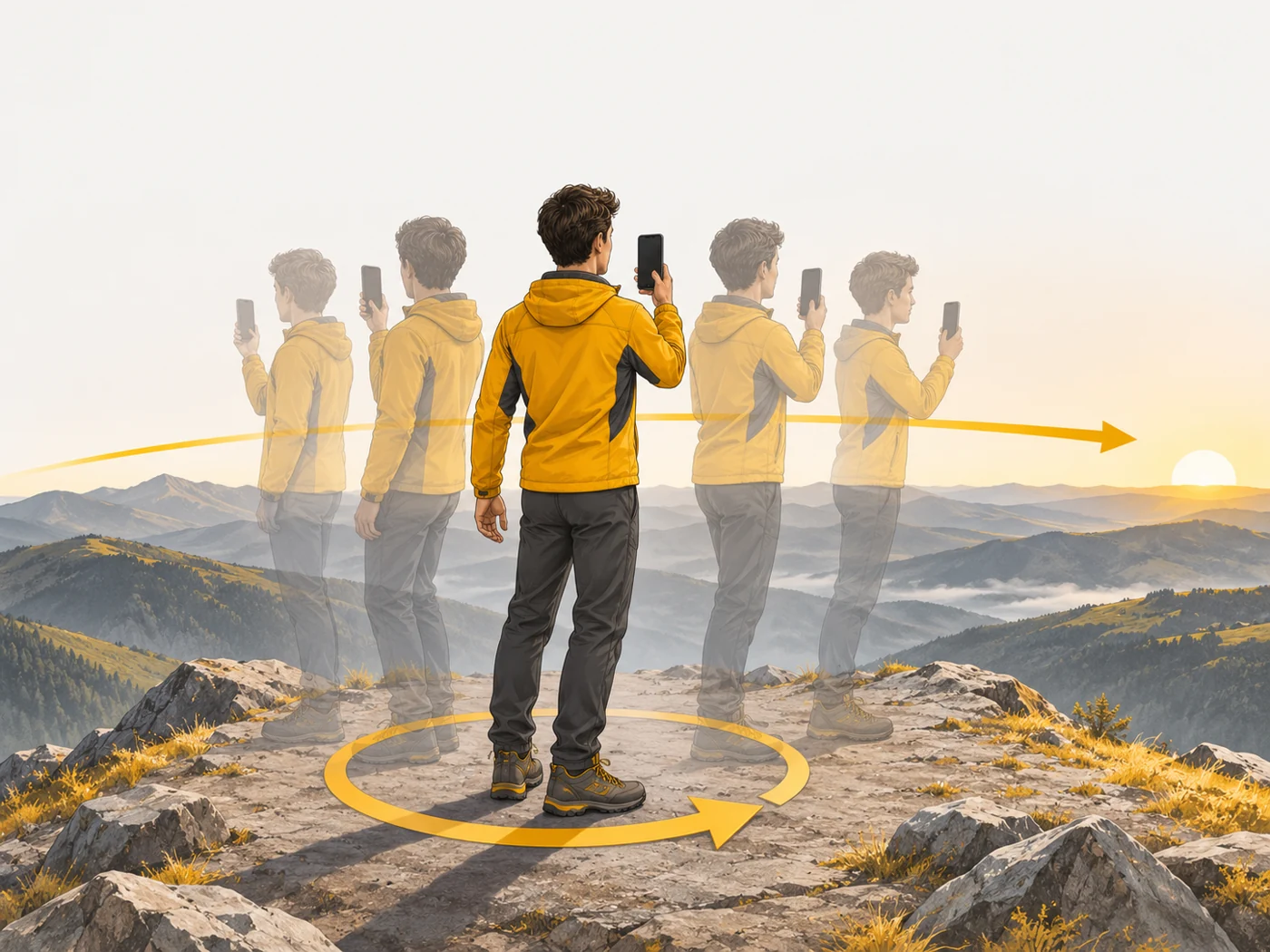
- Slowly turn the phone along the arrow.
- The camera takes overlapping shots.
- An algorithm aligns and stitches the shots and evens out the brightness.
- The gyroscope helps keep the horizon level.
Where you'll see it
In the camera modes of every phone. Some apps also offer 360° photos and photo spheres, and the ultra-wide camera captures a wide frame in a single shot.
Does it matter when buying
It is a great mode for mountains, the sea and cityscapes. My tips: turn your whole body rather than just your arm, keep the phone level and avoid moving objects nearby. For a group of people, the ultra-wide is better.
Myths
- Myth: A panorama and an ultra-wide shot are the same. Reality: The ultra-wide takes one shot; a panorama stitches many together.
- Myth: A panorama needs a tripod. Reality: Smooth, steady movement is enough.
FAQ
Why is the horizon "broken" in my panorama?
The phone tilted while you turned it.
Why are people cut in half?
They moved while you were shooting.
Can I take a vertical panorama?
Yes, by moving the phone from bottom to top.
Related terms
Gyroscope, Equivalent focal length, Computational photography