
SFP port: what it is for on a router and how to connect fibre
SFP (Small Form-factor Pluggable) is a slot in network equipment for swappable transceiver modules. With the right module you can connect optical fibre or copper cable. SFP+ supports up to 10 Gbps; regular SFP up to 1-2.5 Gbps.

In plain words
SFP is like a universal socket you can plug different adapters into. Need fibre? Plug in an optical module. Need copper? Plug in a copper one. The router is not tied to one cable type - like a phone without a built-in charger, you pick the "adapter" that fits your situation.
How it works
- A router or switch has a rectangular SFP slot.
- A transceiver module - optical or copper - goes into it.
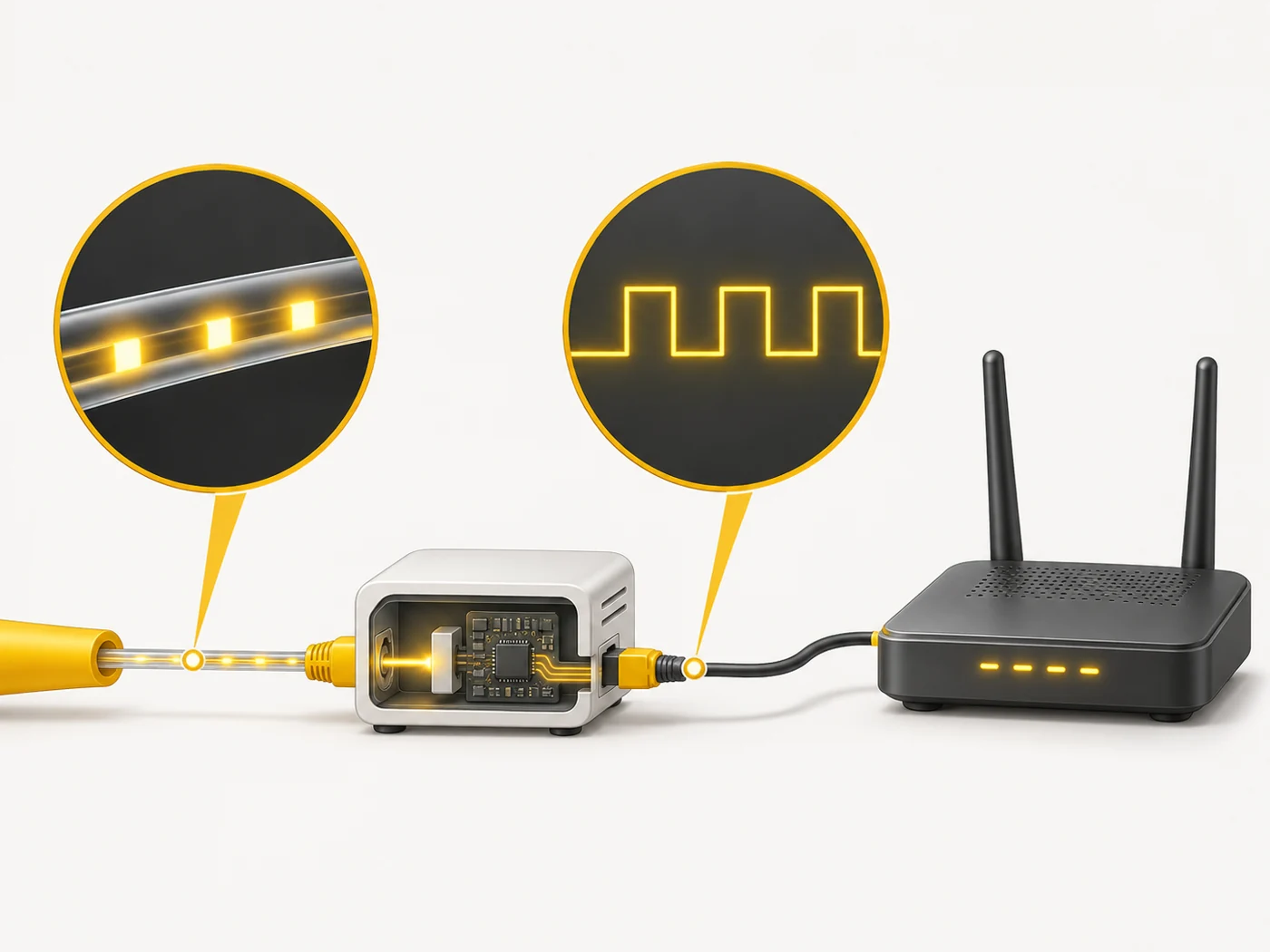
- An optical module converts the electrical signal to light and back.
- Modules differ in speed, fibre type and range.
- Some providers supply a module that replaces a separate optical terminal.
Where you'll see it
SFP and SFP+ are found on professional switches, MikroTik routers, some flagship home routers (for a fast WAN) and network storage. In our router comparisons, SFP appears in the WAN and LAN rows.
Does it matter when buying
For most home users, no: the provider installs its own optical terminal and the router connects to it by a regular cable. SFP is useful for enthusiasts, offices and anyone whose provider allows plugging a module in directly - one less box and one less socket.
Myths
- Myth: An SFP port means faster internet. Reality: Speed is set by your plan and the module, not the slot itself.
- Myth: Any module will do. Reality: The module must match the speed and fibre type and be compatible with the equipment.
FAQ
How is SFP different from SFP+?
SFP+ is rated for 10 Gbps; SFP for 1 (sometimes 2.5) Gbps.
Can I plug my provider's fibre into the router's SFP?
Sometimes, if the provider allows it and the module is compatible with its network.
Do SFP modules get hot?
Yes, especially 10G copper ones - that is normal.
Related terms
WAN and LAN, Multi-gig ports (2.5G, 10G), PPPoE, IPoE and DHCP