
WAN and LAN router ports: where to plug the cable in
WAN (Wide Area Network) is the router port where you plug in the cable from your provider or modem - it is how the internet enters your home. LAN (Local Area Network) ports are for home devices: a computer, TV, console or IP cameras.
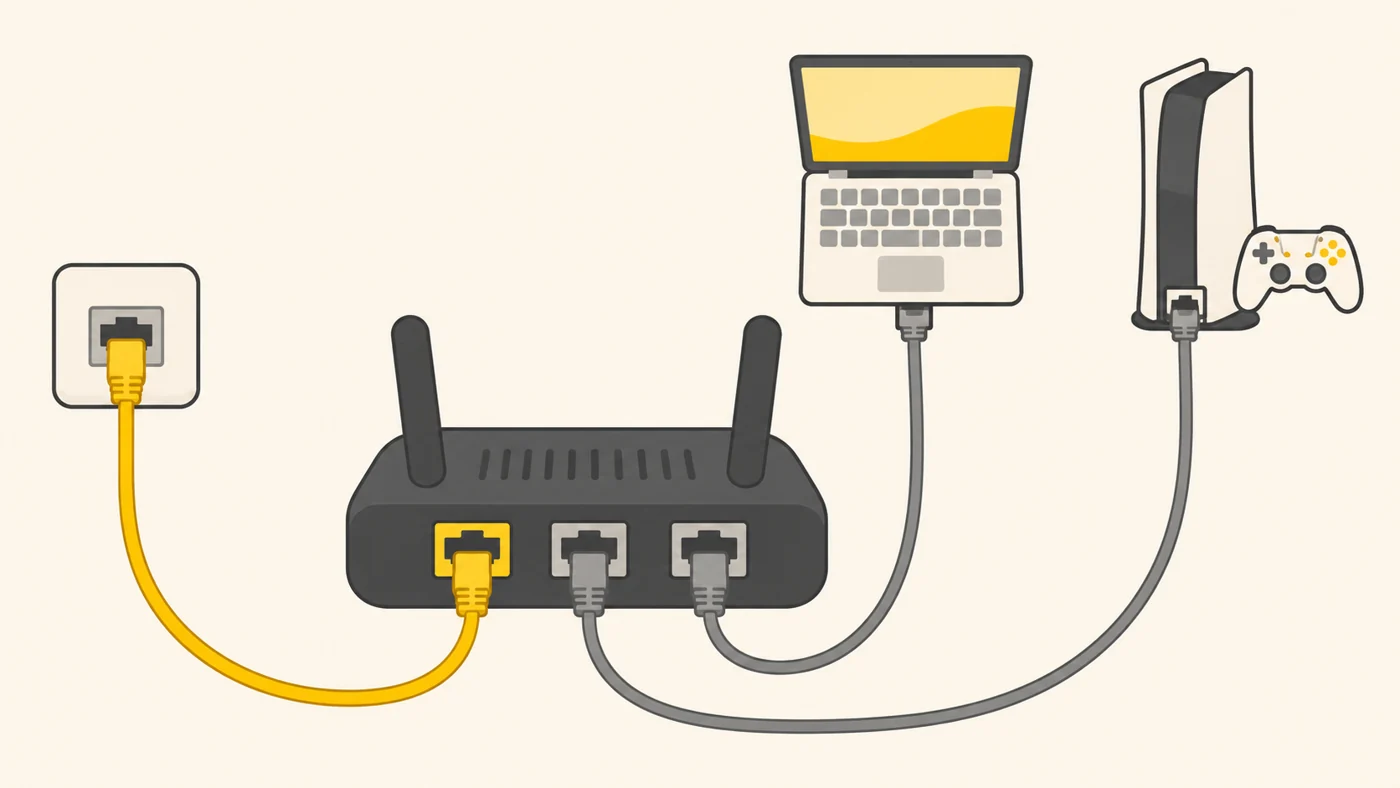
In plain words
A router is like a flat with a front door and inner rooms. WAN is the front door from the stairwell: the internet comes in through it. LAN is the doors to the rooms where you distribute it around the home. If the front door is narrow (a 100 Mbps WAN), the rooms will not get more, however wide their doorways.
How it works
- The provider's cable goes into the WAN port (often a different colour).
- The router gets its settings from the provider (PPPoE, IPoE, DHCP).
- The LAN ports create a local network inside the home.
- The router shares the internet over LAN and Wi-Fi at the same time.
- Some routers have universal ports that can be assigned as WAN or LAN.

Where you'll see it
In router specs: "1 × WAN 1 Gbps, 3 × LAN 1 Gbps". In our router comparisons these are the WAN and LAN rows. Mesh nodes often have 2 WAN/LAN ports that are detected automatically.
Does it matter when buying
A lot. If your plan is 500 Mbps to 1 Gbps, the WAN port must be gigabit, or your speed will be capped at 100 Mbps. For plans above a gigabit you need a 2.5 Gbps WAN. The number of LAN ports matters if you have several wired devices: PC, TV, console.
Myths
- Myth: It does not matter which port the provider's cable goes into. Reality: Only into WAN (or a port set as WAN) - otherwise there will be no internet.
- Myth: LAN speed does not affect the internet. Reality: If a PC is connected to a 100 Mbps LAN port, it will not get more.
FAQ
How do I know which port is WAN?
It is labelled "WAN" or "Internet" and is often a different colour.
What if there are not enough LAN ports?
Add a simple gigabit switch.
Can WAN be Wi-Fi?
Some routers have a WISP mode that takes internet from another Wi-Fi network.
Related terms
Multi-gig ports (2.5G, 10G), PPPoE, IPoE and DHCP, SFP, Mesh network