
PWM screen flicker: why an OLED screen can hurt your eyes
PWM (pulse-width modulation) is a way to lower an OLED screen's brightness by rapidly switching the pixels on and off. Some people are sensitive to this flicker: their eyes get tired or they get headaches. DC dimming and high-frequency PWM reduce the problem.
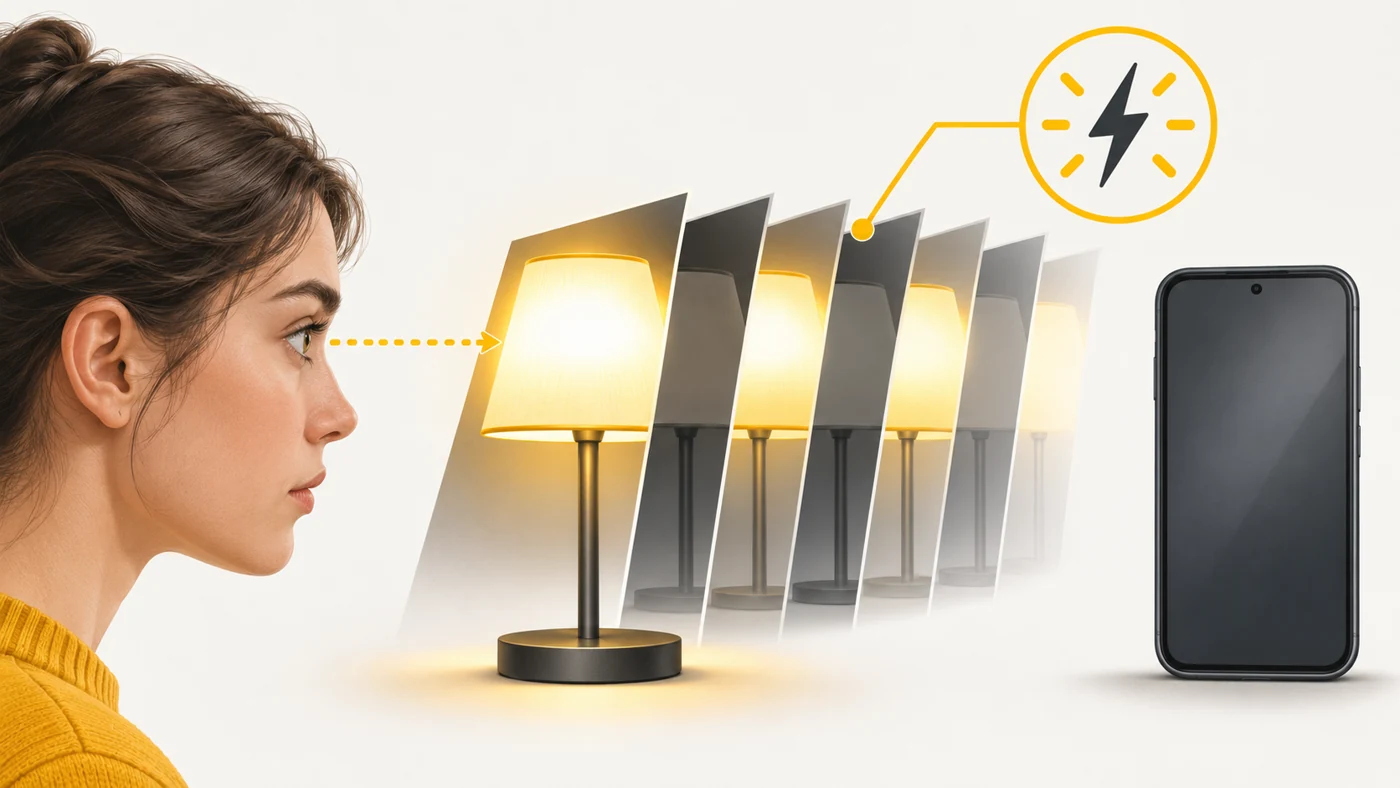
In plain words
Imagine a lamp that is switched on and off so fast you do not notice the blinking - it just looks "dimmer". Your eyes do not see it, but your brain sometimes senses it, like a strobe light at a party. The slower the blinking, the more likely the discomfort. High-frequency PWM blinks so fast that almost nobody notices it.
How it works
- OLED pixels emit their own light, and there are two ways to dim them.
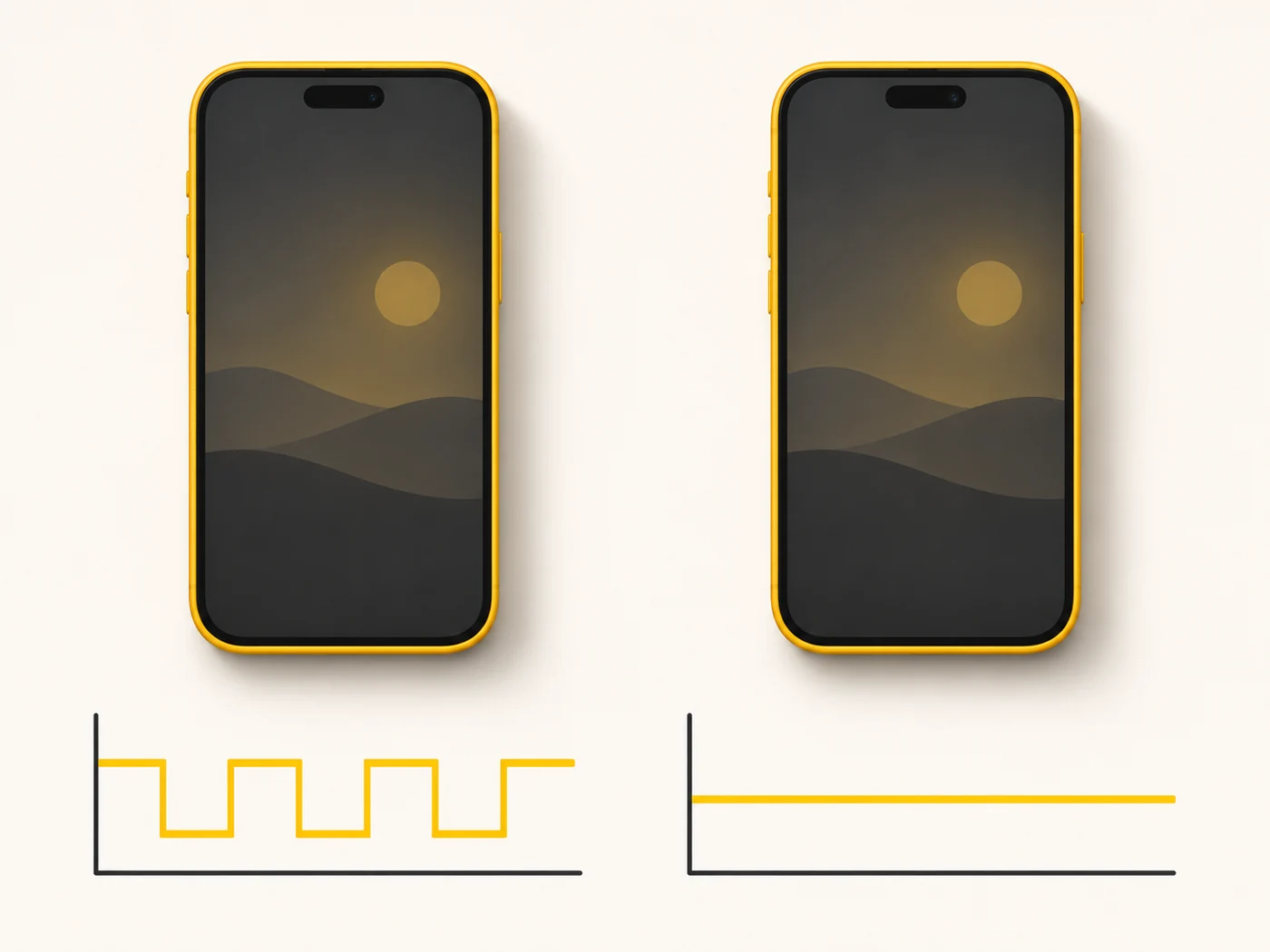
- PWM: the pixel switches on and off for an instant, and the share of "on" time sets the brightness.
- At low brightness the pauses are longer, so the flicker is stronger.
- DC dimming lowers the current instead of blinking, but at low brightness it can render colours less accurately.
- Modern flagships raise PWM frequency into the thousands of hertz, making flicker almost unnoticeable.
Where you'll see it
Smartphone specs list "1920 Hz PWM", "PWM 3840 Hz", "DC dimming" or an "eye comfort mode". IPS screens usually do not have this problem. Reviews often measure flicker with special equipment.
Does it matter when buying
If your eyes get tired or your head hurts after using an OLED phone, especially in the evening at low brightness, look at the PWM frequency (higher is better) and whether it has DC dimming. PWM does not bother most people, but if you are sensitive, it is an important spec.
Myths
- Myth: All OLED screens are bad for your eyes. Reality: Most people do not notice the flicker, and modern screens use high-frequency PWM.
- Myth: IPS is always flicker-free. Reality: Most are, but some IPS screens use PWM for the backlight.
FAQ
What PWM frequency is considered comfortable?
The higher, the better. Frequencies in the thousands of hertz are noticeably more comfortable than a few hundred.
How can I check for flicker at home?
Photograph the screen with your camera in manual mode at a fast shutter speed - stripes in the photo indicate PWM.
Does night mode help?
It reduces blue light, but not flicker.