
RJ45: the network cable connector
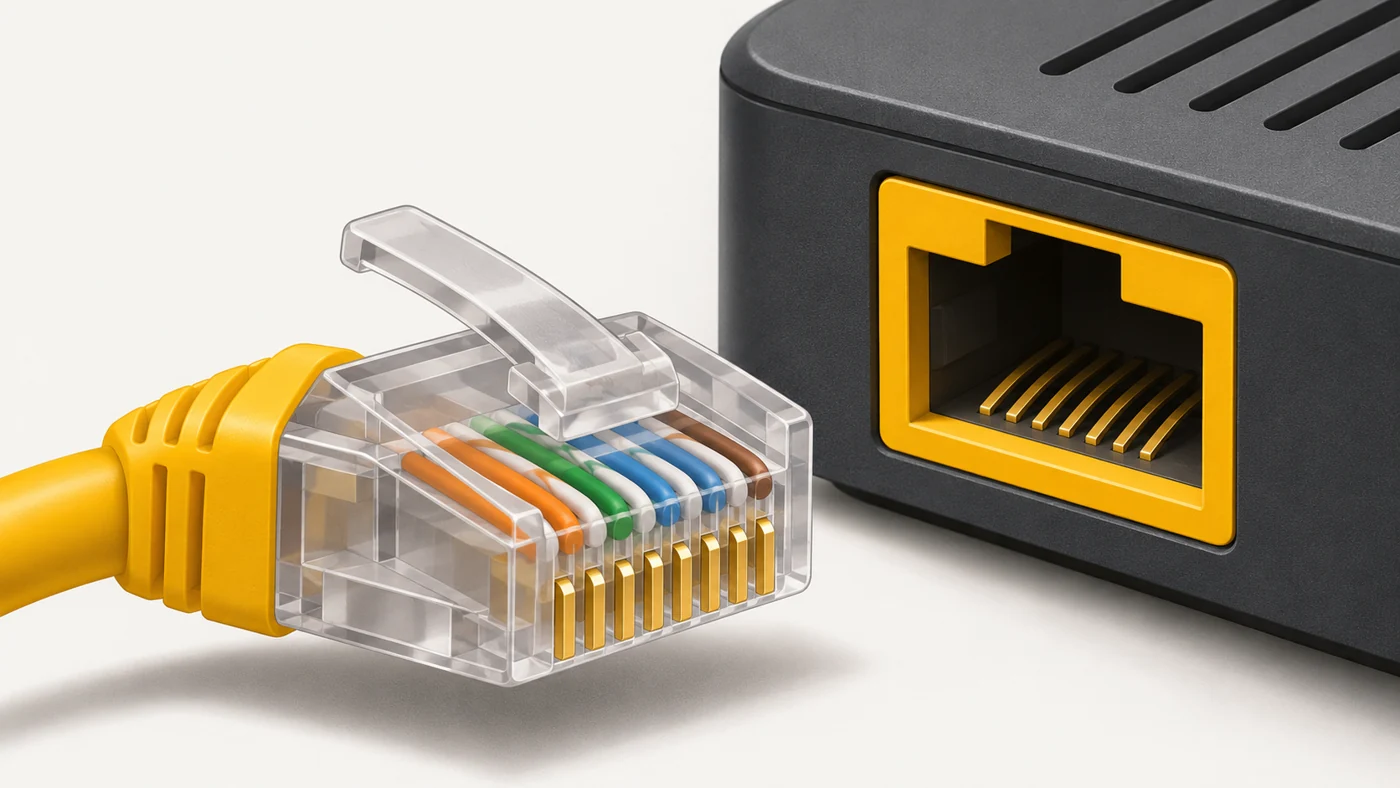
RJ45 (strictly speaking, 8P8C) is the standard eight-pin connector for Ethernet network cables (twisted pair). It is used on routers, computers, laptops, TVs, consoles and IP cameras.
In plain words
RJ45 is like a wider version of the old phone plug: the same clear plastic "head" with a clip, just with eight contacts instead of four. The clip clicks so the cable does not fall out - and it is the part that breaks most often.
How it works
- The cable has 4 twisted pairs of wires - 8 cores.
- The cores are crimped into the connector following a standard colour scheme.
- The clip locks the connector into the socket.
- Lights on the port show the connection and activity.
- The cable category (Cat5e, Cat6) sets the maximum speed.
Where you'll see it
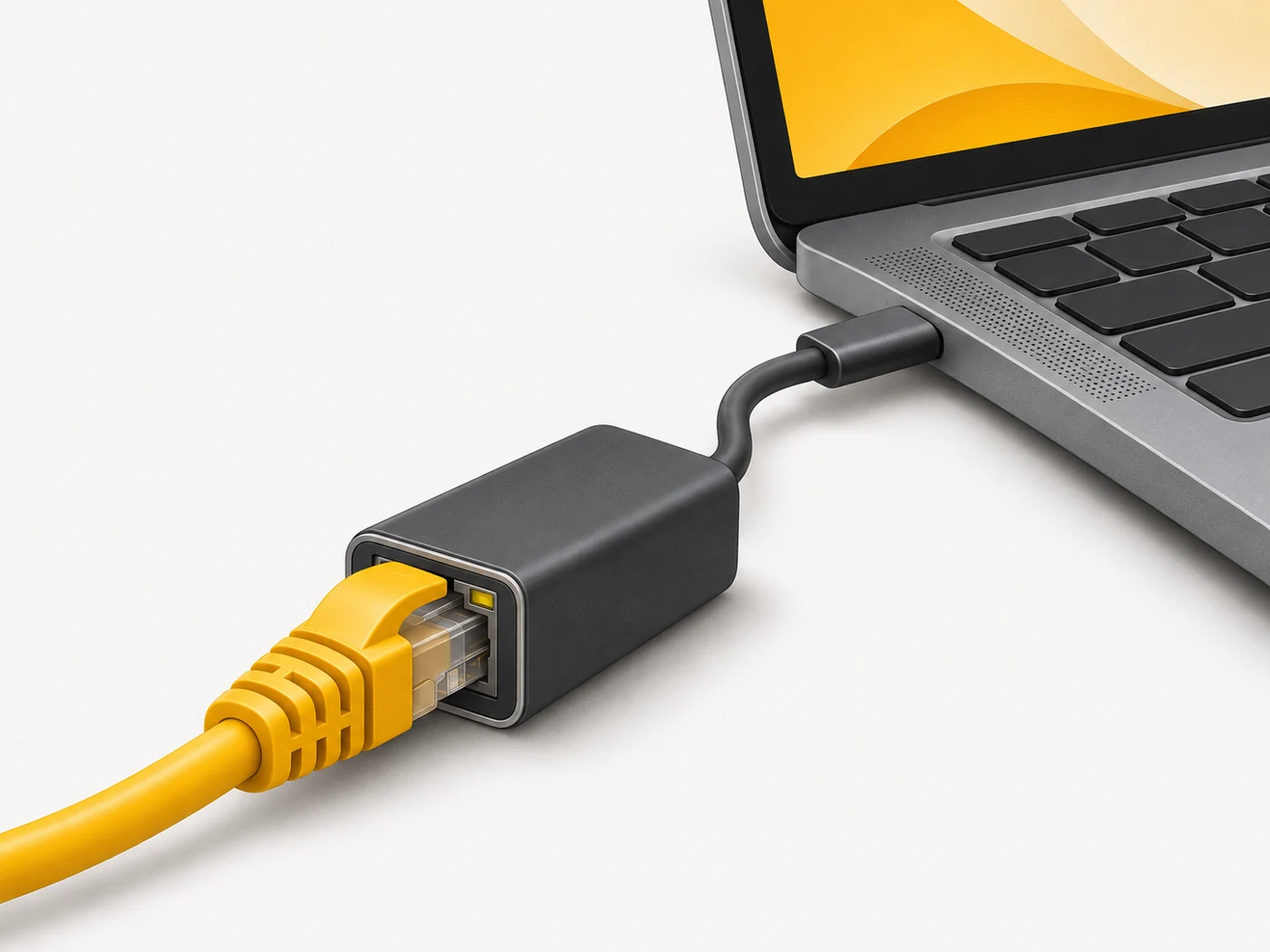
RJ45 ports on routers (WAN, LAN), computers, laptops (or via a USB-C adapter), smart TVs, consoles, IP cameras and network storage.
Does it matter when buying
For stable internet on a PC or console, an RJ45 cable is the best option. Buy Cat5e or Cat6 cables with a protected clip (a boot) so it does not snap off. For long cable runs, solid copper is better.
Myths
- Myth: RJ45 and a phone plug are the same. Reality: A phone plug (RJ11) is narrower and has fewer contacts.
- Myth: Any cable with RJ45 gives you gigabit. Reality: A damaged or old cable will limit speed.
FAQ
How do I know a cable is gigabit?
It is printed with Cat5e, Cat6 or higher.
What if the clip breaks?
Re-crimp the connector or replace the cable.
How do I connect a laptop without RJ45?
With a USB-C to Ethernet adapter.