
Wi-Fi in plain words: how wireless internet works at home
Wi-Fi is the IEEE 802.11 family of wireless local network standards. A router gets internet over a cable or mobile network and shares it by radio with phones, laptops, TVs and smart devices.
In plain words
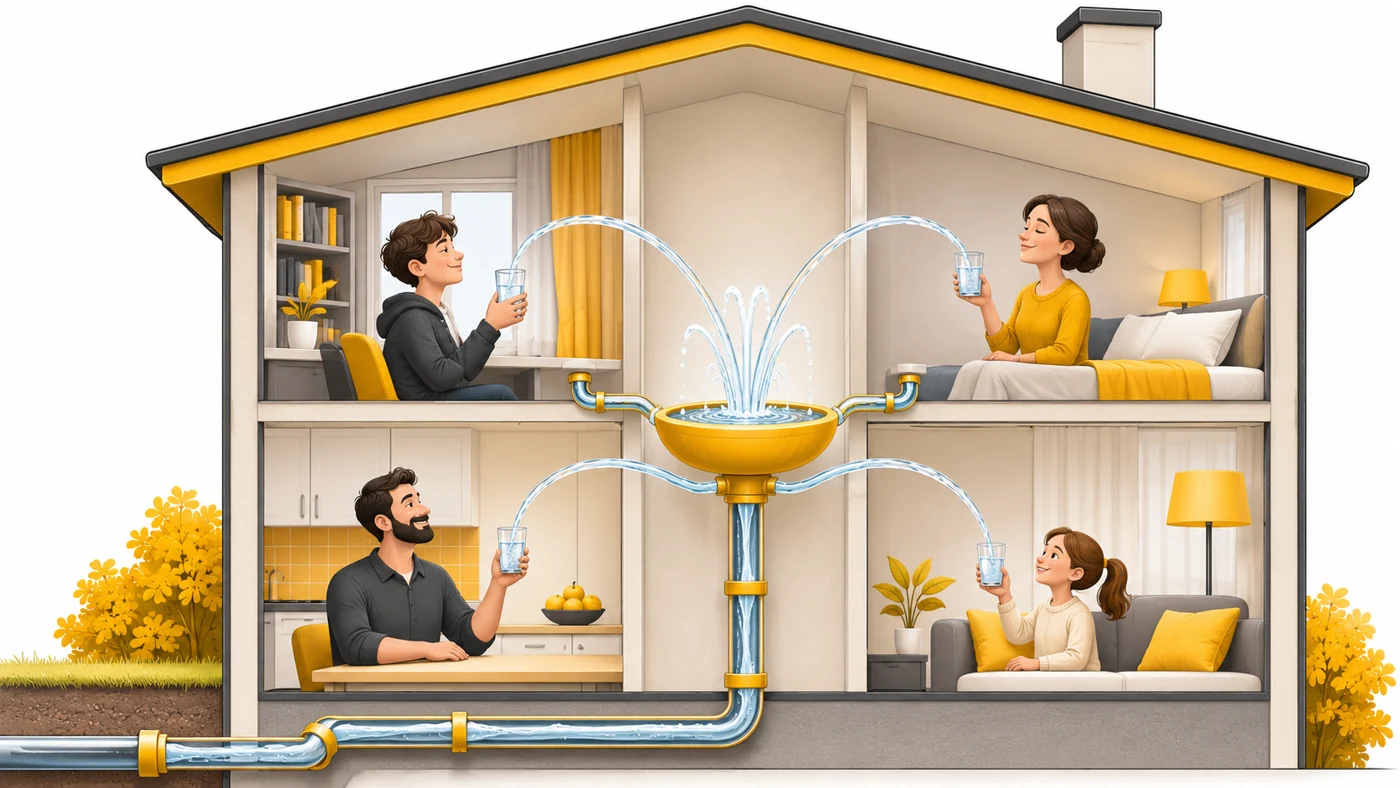
Internet comes into the house like water through a pipe. The router is like a fountain that sprays the water into every room so everyone can fill a glass without a hose. The newer the Wi-Fi generation, the smarter the fountain is at sharing water among many glasses at once.
How it works
- The router is connected to the internet via a WAN port or a SIM.
- It sends data by radio waves in the 2.4, 5 and 6 GHz bands.
- Devices connect using the network name and password (WPA2/WPA3 security).
- Newer generations (Wi-Fi 6, 7) add speed and handle many devices better.
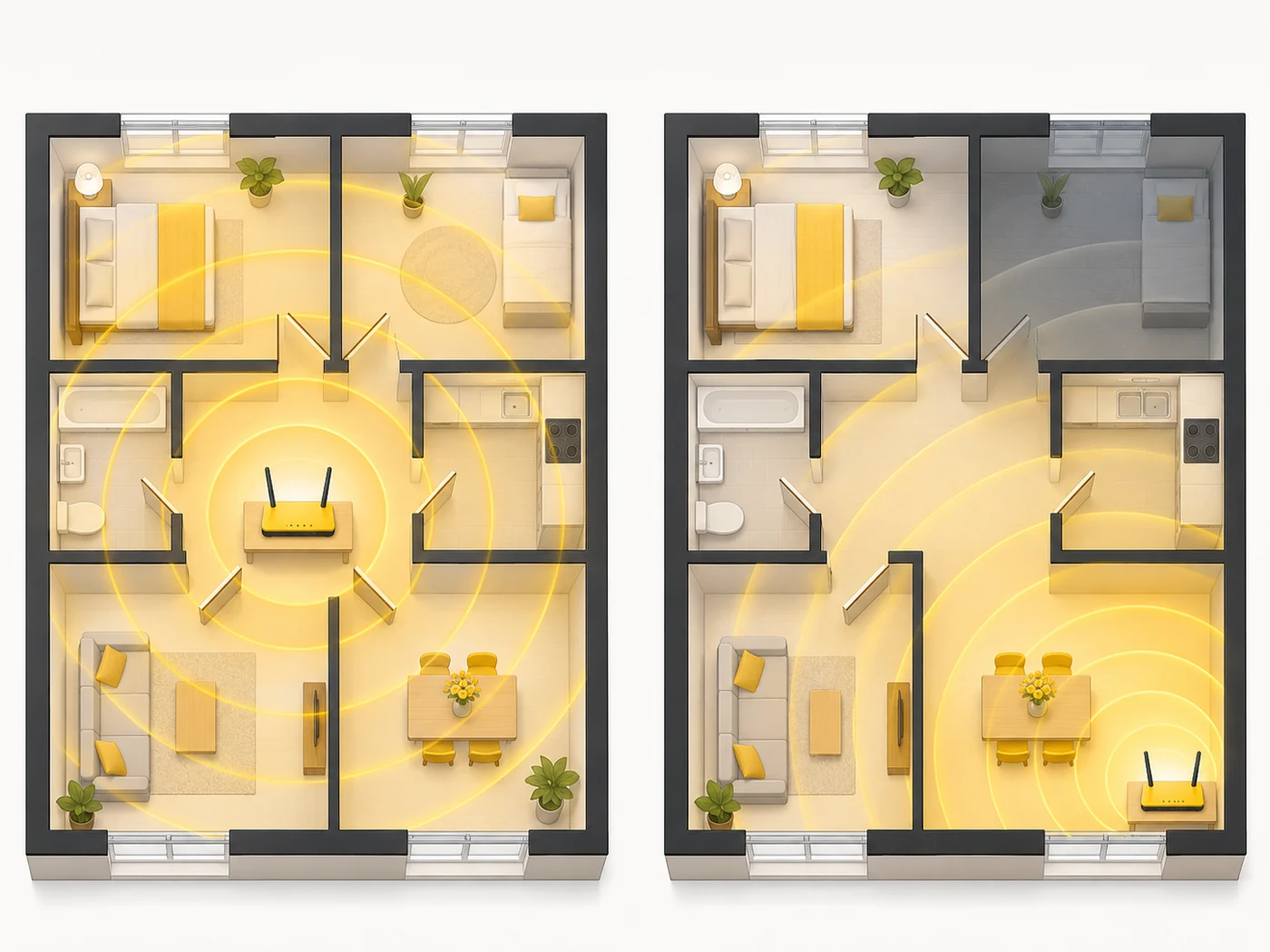
- Walls, metal and neighbours' networks weaken the signal - that is when mesh helps.
Where you'll see it
Wi-Fi is in every phone, tablet, laptop, TV, console and many smart devices. In specs: "Wi-Fi 6 (802.11ax)", "Wi-Fi 7". In our router comparisons, the Wi-Fi, Bands and Wi-Fi speed rows.
Does it matter when buying
A lot - the router decides how comfortable the whole family is. My tips: put the router in the middle of your home, not in a corner; use 5 GHz for speed; use mesh for large spaces; and set a strong password with WPA3.
Myths
- Myth: Wi-Fi and the internet are the same thing. Reality: Wi-Fi is only the wireless network in your home; the internet comes from your provider.
- Myth: The more antennas a router has, the better it is. Reality: The standard, processor and router placement matter more.
FAQ
Why is Wi-Fi poor in the far room?
Walls weaken the signal; moving the router or adding mesh will help.
What are Wi-Fi 6 and Wi-Fi 7?
Newer generations of the standard with higher speed and stability.
Is Wi-Fi harmful?
Router power is low and within safety limits.
Related terms
Wi-Fi 6 and 6E, Wi-Fi 7, Mesh network, 2.4, 5 and 6 GHz bands, WPA3